Showing posts with label Instagram. Show all posts

01/05/2018

Instagram announces new features: video calling, app integration, AR camera effects, and updated Explore page

Today is F8 (pronounced “eff eight”), which is Facebook’s annual developer conference where Instagram has just announced a bunch of new features coming to the platform. There’s a bunch to cover so let’s get into it.
Not long ago, we saw further improvements to Instagram Stories which made it easier to upload stories in batches of 10. Today, Instagram announces that more apps will be integrated to upload directly to stories. The first two apps to be integrated into Stories are Spotify and GoPro.
Spotify’s integration brings song stickers that link to the full song in Spotify so your viewers can vibe with your current song, playlist, or album. You can either post to Stories or send an Instagram DM with a song/playlist/album.
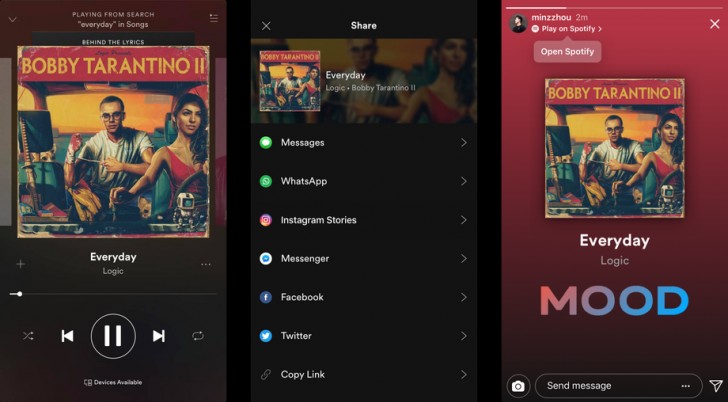
Spotify Integration
GoPro’s integration works by simply choosing a clip in the GoPro app and you’ll be able to share directly to Instagram stories. From here, you’ll be prompted to re-center and/or crop the video or image before uploading. There is no need to have to link your GoPro account with Instagram as the sharing is done locally on your device, via the Instagram app.
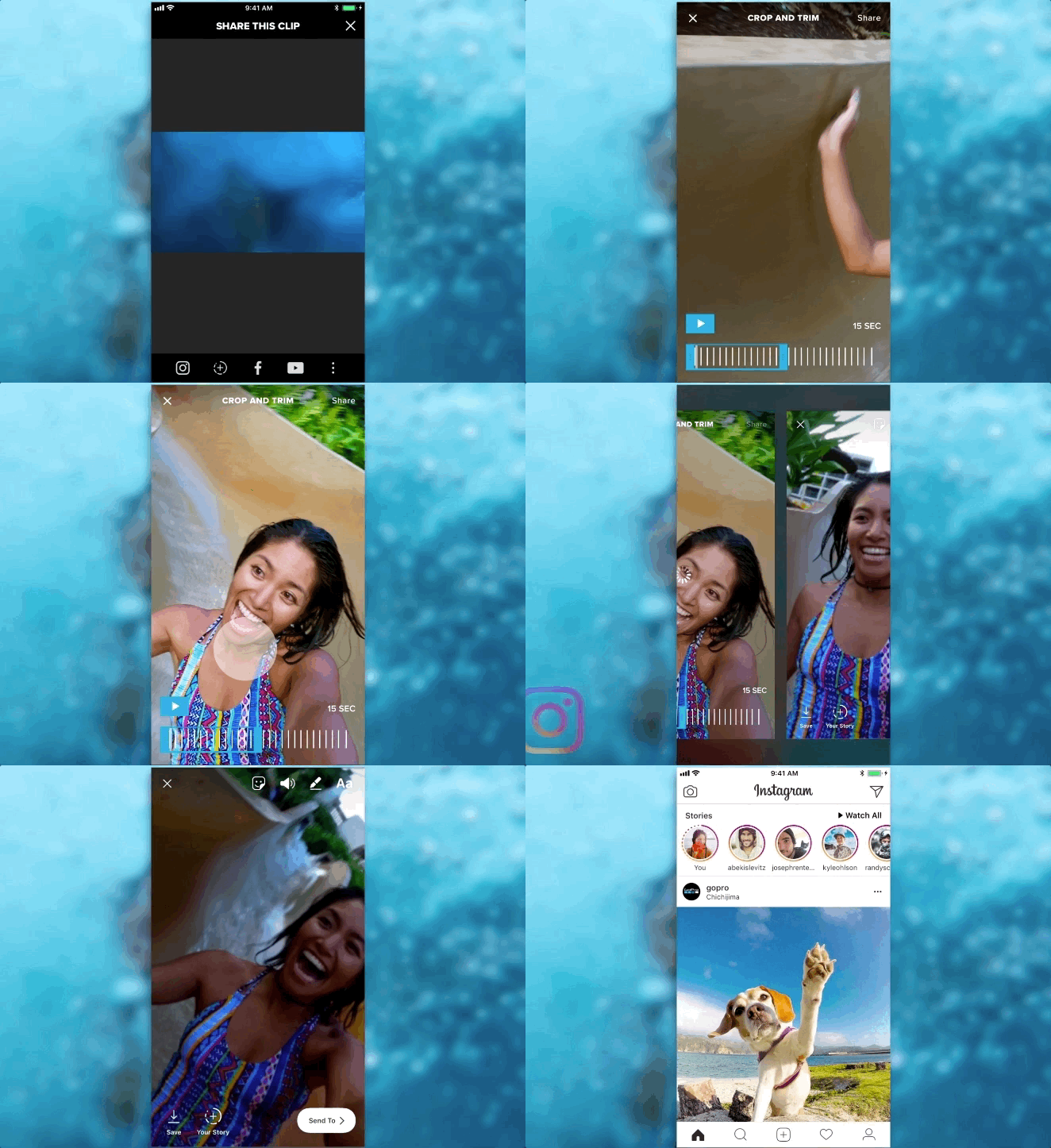
GoPro Integration
Instagram says the new integrations on Instagram will also work when posting Instagram Stories to Facebook Stories and there will be more apps in the near future that will be integrated to Instagram Stories like Spotify and GoPro.
Let’s move on to the new AR effects. Instagram has taken advantage of Facebook’s Camera Effects Platform to bring AR effects from celebrity accounts like Ariana Grande, Vogue, and the NBA. These AR effects range from face filters to environmental ones. Enjoy this Ar effect of Jiff the Pomeranian.

The next new feature is Video Chat. This can be initiated by tapping the video icon at the top corner of any Direct Message thread whether it’s with another individual or “a small group”. Based on the following press image, we assume a max number of four participants per video conversation session.
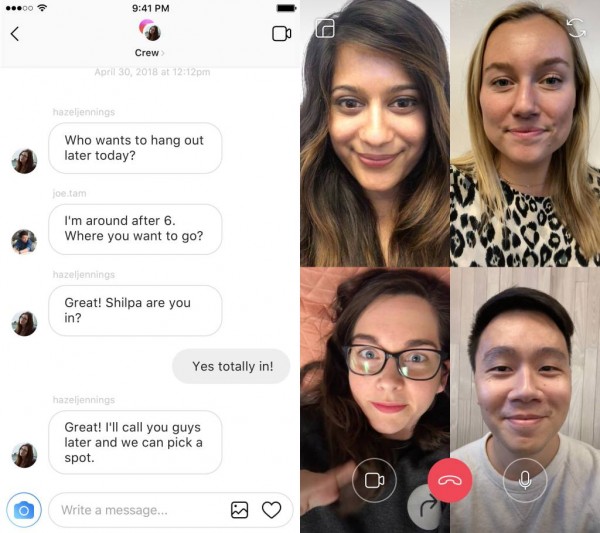
Video Chat
Finally, this is Instagram’s new Explore page. This is the page that is personalized for every user to discover new people and accounts to follow. Rather than a feed, it is categorized into “topic channels” so you can brose with more direction. If you find a topic you like, you can see related hashtags.
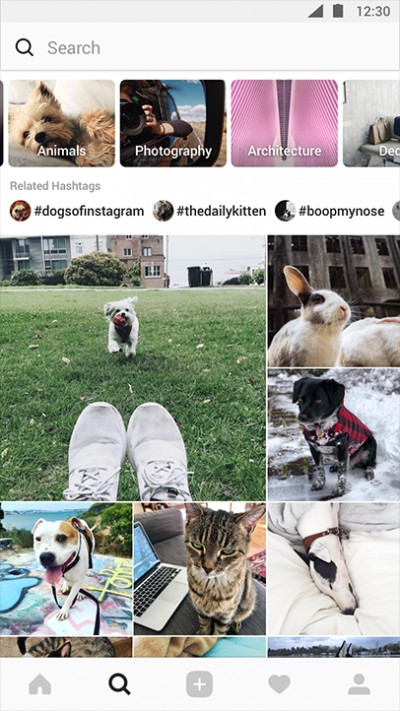
Updated Explore page
GoPro integration will be going live today while Spotify integration should be live tomorrow (some may already see it working). Meanwhile, Spotify support for Facebook Stories is “coming soon”.
New third-party camera effects, and Instagram’s new explore page will be rolling out “in the coming weeks” while Video Chat should be rolling out globally “soon”.
Which feature coming to Instagram are you most excited for? There’s a lot to look forward to on the social platform. Instagram is really striving to keep you engaged and keep things fresh.
Source | Via 1 | Via 2 | Via 3

23/03/2018

Instagram announces new changes to the timeline based on feedback

nstagram has announced new changes to the timeline based on user feedback. One of these changes is the introduction of 'New Posts' button that lets you manually refresh. This prevents the previous automatic refreshing of the timeline that had a habit of yanking you out of whichever part of the app you were in and throwing you at the start of your timeline. Users can now manually refresh whenever they want without the app doing it for them.


The other change is a slightly more chronological timeline. Instagram introduced an algorithmic timeline that sorted posts based on what it thinks you'd like to see instead of the more logical reverse chronological timeline that people were used to before. After much backlash, Instagram will not mostly show posts in order. To be clear, it's still not perfectly chronological like people wanted and you might still see things randomly out of order.


The changes suggest that while Instagram might be listening to feedback, it either does not know how to implement them or doesn't care enough to do it properly. The New Posts button was not necessary if the app was designed to refresh itself without yanking the user out of whatever they were doing every time. This is exactly how Twitter works. The non-committal not-really chronological timeline is also nonsense; it's either chronological or it isn't, and this clearly still isn't so it's not really what people have been asking for. Algorithmic timelines increase user engagement by wasting their time and also strongly favor brand accounts, so it's clear why Instagram isn't ready to give that up.


Instagram has promised more changes in the coming months but going by the company's track record there is zero chance of any of them being in the user's interest.


13/03/2018

nstagram beta testing chronological timeline with handful of users

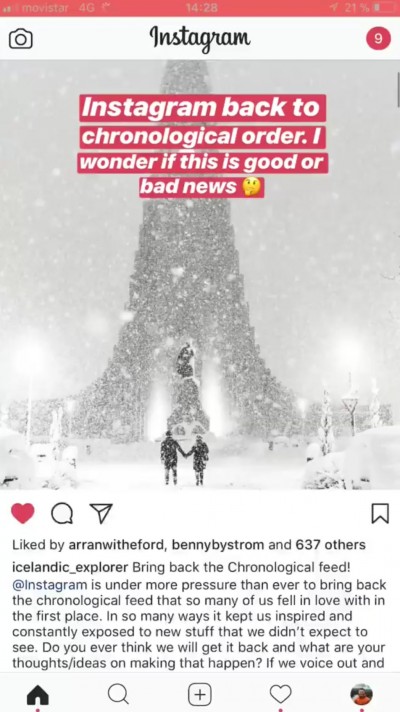
Instagram is beta testing a chronological timeline feature, according to some users. One of the users, Gunnar Freyr (@icelandic_explorer) posted a video in his Instagram story of scrolling through his now chronological timeline. A few other users have also reported noticing this although most people currently, including myself, do not have it yet.
One of the changes that were made to post Facebook acquisition Instagram was a Facebook-like non-chronological timeline. This was powered by an algorithm that automatically brought up images from people you communicate with most or recently followed accounts and pushed other content further down the timeline. The logic here was that regardless of what time of the day you open the app, the accounts you care about most will always be on top.
Most users, myself included, saw this as a downgrade. A chronological timeline is easy to understand, even for novice users. It gives every post a logical place on your timeline that is consistent every time you opened the app. It also gives a clear hierarchy to multiple images posted by a user one after the other especially if that order was important to those images. The current algorithm not only shuffled images from different accounts but it also shuffled the timeline of images posted from the same account for no logical reason.
But by far the worst thing about this was there was no way to opt out of it. Facebook promoted this feature as being in the user's interest and it did increase user engagement but it helped brand account more than anyone else as brands no longer had to worry about their posts getting buried down somewhere for someone living in a different timezone.
It was clear where Facebook's interests lie but after two solid years of complaining from users it seems Facebook has finally decided to listen. As of now it seems as if again it will not be an optional change, so those who actually liked the algorithmic timeline will likely be miffed, but a vast majority of users will finally get their demand fulfilled.
SourceVia

24/01/2018

Instagram now supports GIF stickers in Stories

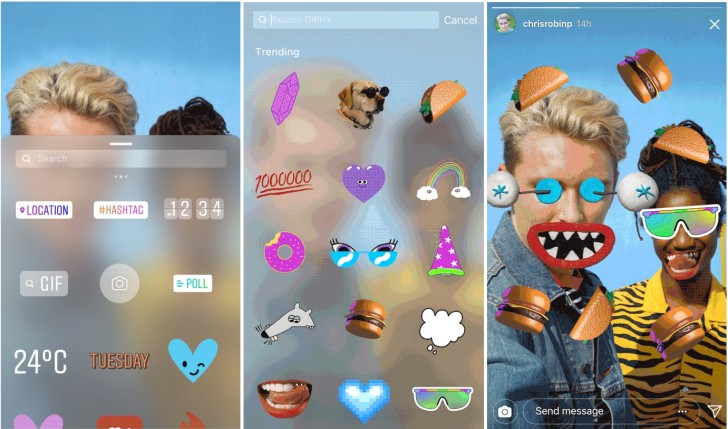
Instagram has added support for GIF stickers for the story mode.

Users will now be able to add animated GIF stickers to their photos and videos. You can select one from the available options or search for something new. All the stickers have their background cropped out so they blend in better with your image or video. You can add as many stickers as you like on one image.

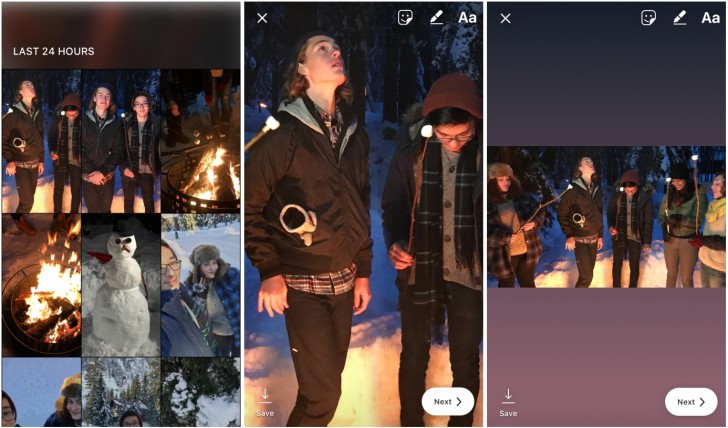
On a more important note, Instagram will soon allow uploading images in any aspect ratio to your story. While uploading, just pinch out so you upload the entire image and not just a vertical crop and the rest of the frame is filled by a color that matches the image. This change will be rolled out in the coming weeks.

19/01/2018

Instagram now shows activity status for your friends

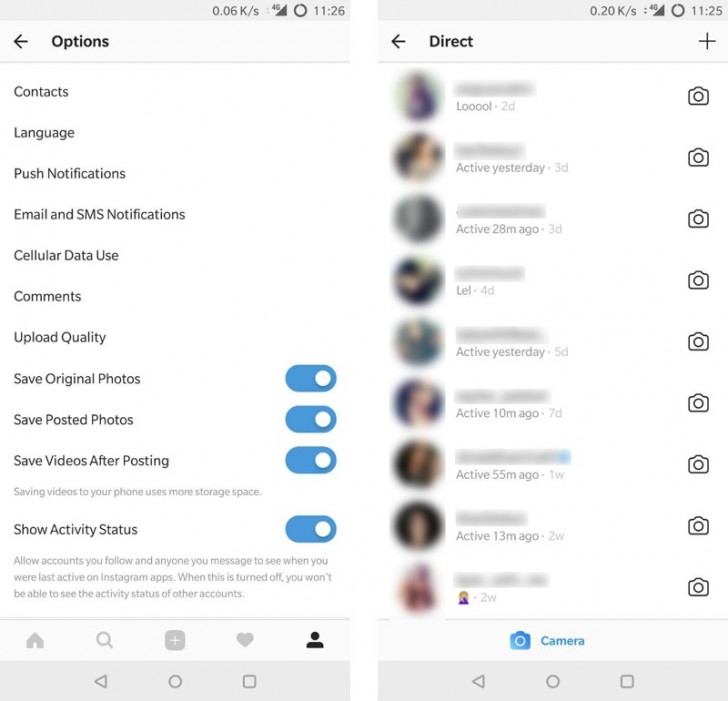
Instagram has added a new activity status feature in its iOS and Android app. Considering there isn’t an official announcement from the company, it’s likely the feature is still being tested and not available for everyone. However, it does seem to be available for most users right now.


With this feature, enabled by default in the app settings, you can go into your direct message inbox and see the activity status of the people you have messaged below their name. This appears for people you follow or have previously messaged. The status ranges from ‘Active…’ a certain time ago or a very specific ‘Active now’ if the user is browsing Instagram at that very moment.


If this sounds like a bit much to you, then the app does give you the option to disable the feature. When you disable Show Activity Status, you stop seeing status for other people they stop seeing it for you.


There were reports of Instagram spinning off its direct message feature into a separate app and this might be an effort towards that.