PUBG or PlayerUnknown's Battlegrounds is finally on mobile. After releasing on Windows in March of 2017 in early access beta form, with the 1.0 release along with the Xbox One release coming out in December, the game has now been released on iOS and Android worldwide after a brief period of China exclusivity. I tried it on six different devices to see what the mobile experience of the game is like.
Before I begin with the review, here is a brief primer on the game. PUBG is what is now known as the battle royale style of game. While not the first game of this type, it's the one that made it popular and is the most played game in this genre. PlayerUnknown, or Brenden Greene in real life, is the lead designer of the game, who had worked on a mod for ARMA 2 with a similar gameplay style.
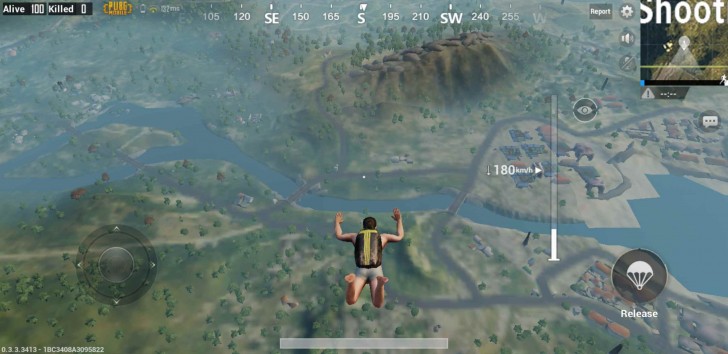
PUBG takes place on an island where 100 players are dropped off from a plane. Each player can decide at what point to jump off from the plane and can pick a spot to land on during the fall. Once on the ground, the player ideally has to find items such as weapons, health packs, armor, clothing and a backpack to put all this in. These items are strewn about the map, inside the buildings.
Once sufficient items are collected, you can go about your business of killing others. The goal here is to be the last man standing. It's not required that you must kill someone (but you get points if you do not to mention additional items that they drop) and you can just choose to run around or hide. However, to make sure you don't stay hidden in one place forever, the playable area on the map keeps shrinking every few minutes. You are warned before this happens and once it starts, if you're caught outside the circle, your health starts dropping until you either die or come back inside the circle. In the final moments of the match, the circle gets small enough that you can no longer avoid conflict with remaining players.
The map shows you what the current play area is and what it is going to be after the timer runs out, so you can move there in time. It will also occasionally show a random red spot on the map, which gets bombed from above, so you better not be anywhere near that. Finally, the game will also have planes dropping loot crates from above, which usually contain all the good stuff but also have a red smoke trail that attracts everyone's attention to the crate and anyone near it.
And that's pretty much it. The good thing about the mobile version is that it is almost exactly the same game that is on Windows and Xbox. It is, however, tuned heavily to be playable on a touchscreen. It also has a few changes that, in some ways, make it better.
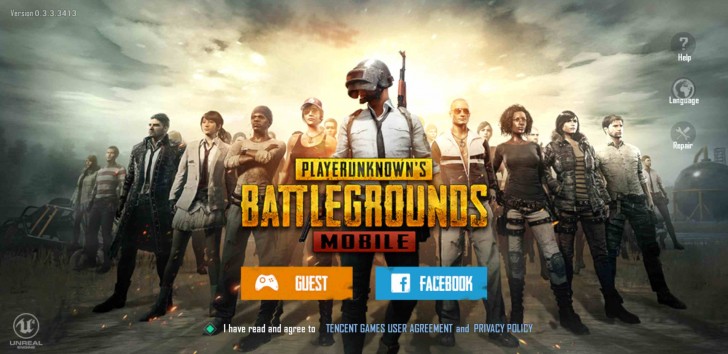
To begin with, the mobile version of the game requires you to sign in as a guest or using Facebook ID. The guest ID can simply be made using a username but if you ever delete the game and reinstall it, you will lose all your progress so the Facebook ID is the way to go. It's unfortunate that the game does not give you the option to create a permanent account using username and password and more or less forces you to use Facebook login if you want to play seriously.
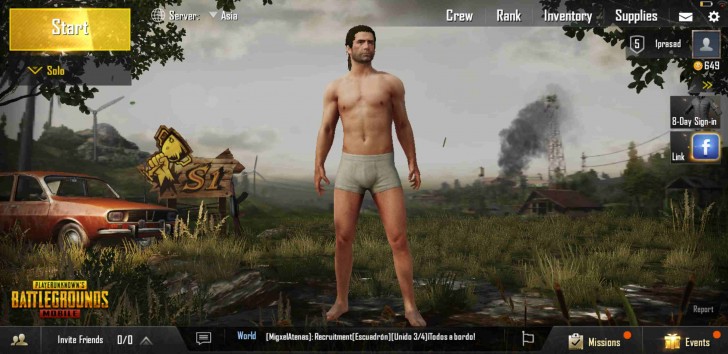
During login process, you can also create your character, which involves choosing gender, skin color and hair, none of which affect gameplay. As you play the game and earn points, you can purchase additional in-game items such as clothing and accessories for your character, which, again, do not affect gameplay and are just for aesthetics.
Like on desktop and consoles, you can choose to play the game solo, duo or as a squad. If you play as duo or squad, the last team standing wins. In these two modes, you can manually create your own team using usernames of your friends or let the game automatically group you with random players.
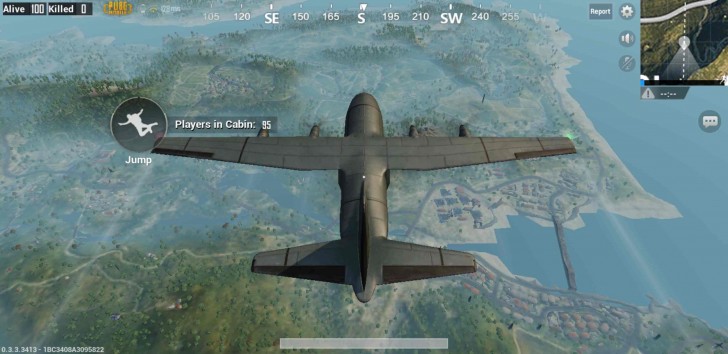
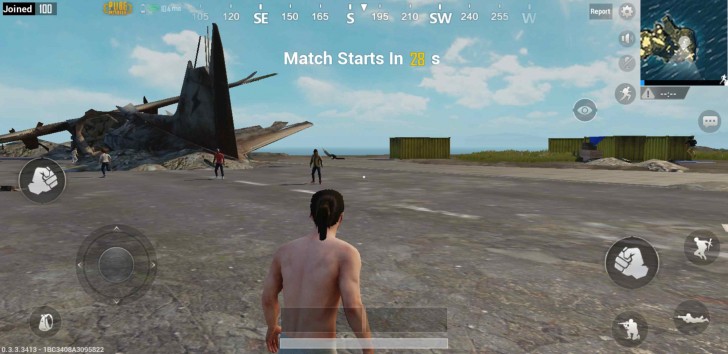
After that the game works pretty much the same way as on other platforms. What is different is the control scheme. You move your character by the joystick on the left side of the screen. On the right are the controls to shoot, aim, jump, crouch, go prone, and reload. That sounds like a lot but you get used to it. What you don't quite get used to is the exact position of the keys on the screen and more often than not in the heat of the battle I found myself tapping empty area of screen instead of the fire button. Peeling your eyes away from the target to look at the button often means the target has now moved away. Mobile is the only platform where you have to look before pressing the button, which is what makes it terrible for such games (yet, here we are).
On the top right is the map. It can be expanded and zoomed in. Additional controls let you sprint, choose camera angle from left to right shoulder, and enable or disable sound and mic.
Near the bottom of the screen is where you can select your weapons. You can only carry two weapons at a time and the ammo is determined by the size and contents of your backpack, which can be accessed from a button on the left. You will also see your health here. Also present are convenient shortcuts for health packs. The backpack UI has been modified from other platforms and is a lot simpler here.
On the top left of the screen is the kill feed, your squad feed and also the latency in ms.
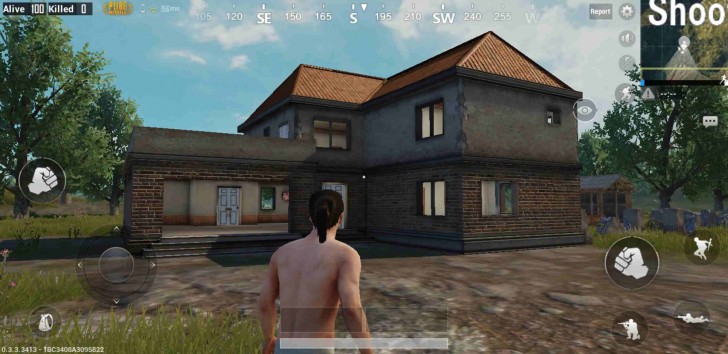
Now for the gameplay. Aforementioned gripes with the controls aside, the game does work well most of the time. The mobile version also has some niceties, such as aim assist and also automatically picks up items for you when you walk over them. Aiming by sliding around on the touchscreen isn't super precise; it takes some time getting used to and even then it's not great. But your opponents are stuck with the same controls so you're on a level playing field here. There are some vehicles that you can drive in the game but there's about five of them in total and they aren't super fun to drive but they do their job of getting you across the map quickly and you can even run someone over along the way and get an easy kill.
Like I mentioned before, you are not really required to kill. The map is so large you might get through the entire game without killing anyone. In fact, it's often better not to engage with someone, especially if you're in a place where you know the chances of being found are few and you could easily see someone coming. Not to mention, if you're in the right zone so you don't have to be outside the play area any time soon. In such cases, you can just lie down and not do anything.
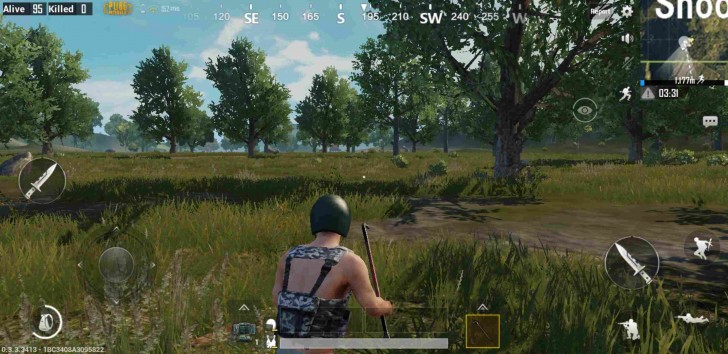
In one game, I had no weapons at all and just drove around for several minutes, running over a few people, and still managed to get into top 20. This can make the game feel dull at times, especially in the beginning when the map is enormous and you don't see someone for several minutes depending upon where you landed. Still, if you manage to make into the top 10, things do become significantly more exciting, as you start hearing gun fire around you everywhere and know people are closing in.
One issue with the mobile version is that it can be a bit hard to see enemies on the phone's screen. That thing in the distance could be an enemy pointing their sniper rifle at you or just a harmless plant. Half the time you don't even notice enemies until they are within shotgun firing distance of you.
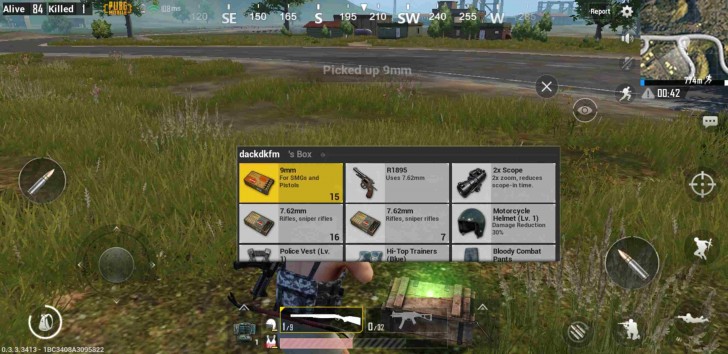
Another issue with the mobile version is that it has bots. The first few games you play will be populated mostly with bots. It's likely that they have been added here to ease the player into the controls. Unfortunately, it does make things a bit too easy, as the bots are really easy to kill even with the touchscreen controls and you end up being the last man standing so often you almost get bored of it. Eventually, the game starts balancing the matches with more player to bot ratio. It's not a huge deal but it's unfortunate that the game isn't upfront about it.
PUBG Mobile has no official support for controllers yet but some people have managed to get them working, as well as even keyboard and mouse (it's not a as simple as plugging in via USB). This is, by definition, cheating and until the developers find a way to stop it you may find yourself occasionally being shot by people with suspiciously good aim.
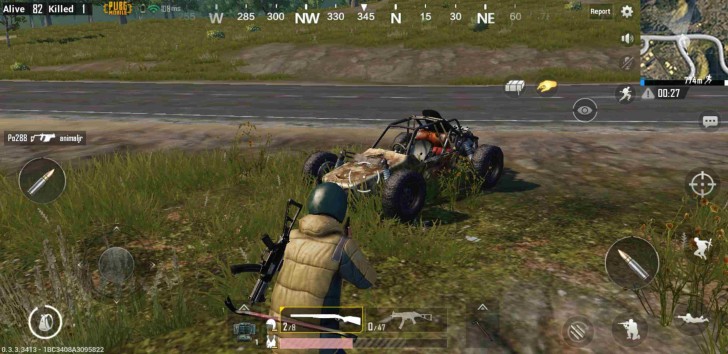
On a technical level, PUBG has always had issues. Even after a year of original Steam early access release, the game continues to have issues on Windows with respect to performance optimization, latency, rubberbanding and recently, cheating. The Xbox One version was somehow worse, with even more performance and graphical issues, especially on the base model. As such, I didn't have high hopes going into the mobile version but somehow it has turned out pretty good.
In terms of visuals, PUBG Mobile looks pretty good for a mobile title. The original Windows game was never really a looker but the mobile version retains most of the visual essence of that version. We only get the original Erangel map on mobile but it is fully realized, meaning all the buildings, terrain, foliage, etc. from the original game is here, just worse looking.
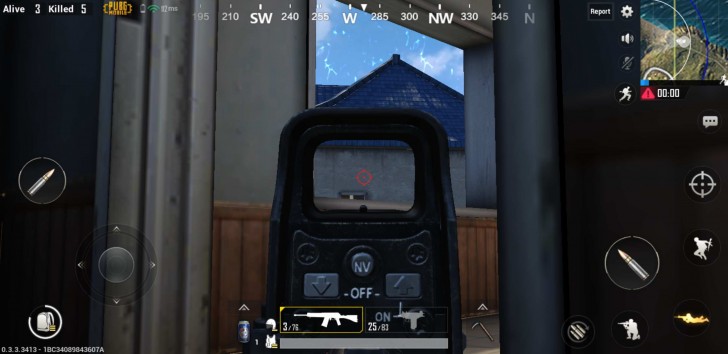
The mobile version currently has three tiers of visual quality, with a fourth even higher tier coming at some point later. Even at the highest quality, the game significantly cuts back on the lighting, texture detail, foliage, shadows, texture filtering, ambient occlusion, and anti-aliasing compared to the Windows version. The draw distances are also much shorter so objects load into view when they are much closer. While landing from the plane, the ground detail loads like a Google Earth map loading on a slow internet connection. Still, none of this looks particularly bad in action.
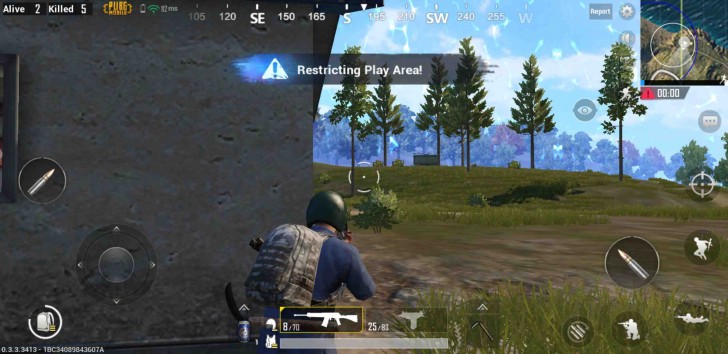
Things do get bad when you turn the visual settings all the way down. Shadows are completely eliminated, textures turn soupy, scene complexity is reduced and the overall presentation becomes rather dull and flat. If you've played the Windows version of the game, this looks like a very distant relative of that. But if you've never played that before, it still looks pretty decent for a mobile title.
As mentioned before, I tested the game on six, rather eclectic mix of devices. On iOS side there were the iPhone 8 Plus and the iPhone 5s. Representing the Android side were the Galaxy S9+ (Exynos), OnePlus 5T, Redmi Note 5 Pro and the Redmi 5.
As expected, the game ran best on the iPhone 8 Plus. The combination of powerful hardware and the general level of optimization that goes into an iOS title means that I could max out the settings and the game still ran consistently at the maximum frame rate of 30fps supported by the game. As for the iPhone 5s, it was thrown in here for curiosity reasons as the device isn't even officially supported by the game (iPhone 6s and above) but to my surprise it actually ran fine at the lowest setting with an occasional hiccup here and there. The relatively low resolution display meant the frame rates were playable despite the aging hardware.

On the Android side, things were less than ideal but still mostly fine. The S9+ ran the game at max settings but would occasionally drop frames quite badly. The curved corners of the display also cut heavily into the UI of the game, which was clearly made for square corners. The 5T did better in that regard but otherwise ran similar to the S9+. The Redmi Note 5 Pro with its Adreno 509 was set to Medium settings by the game, which it ran fine but I found I could make it run at the highest HD setting and it was still perfectly playable. Finally, the Redmi 5 with its Adreno 506 had to be run at minimum settings, but it was still was playable.
The frame rate in the game isn't great. It tends to vary, drop and even at its best is just 30fps. On a PC with a mouse it would be deeply infuriating (as some players with less than stellar rigs will tell you) but on mobile with the slow controls and slower players it is less of a deterrent.
What I really wish was better is the sound. The audio is just trash, with incredibly compressed audio clips that even when played over headphones sound like they are coming through the speaker. Vehicle sound in particular is bad. Your footsteps are also frustratingly loud and considering how much time you spend walking or running it does start grating on you after a while. I get that you are supposed to listen to footsteps of your opponents to know they are nearby but there's no reason to hear your own footsteps so loudly.
Network performance was okay but again it's not a big deal. Latency was always above 100ms for me, usually above 200ms and sometimes even over 300ms. On PC this would kill you and you wouldn't even find out until 1/3 of a second later. On mobile I didn't think that it made a big difference. It is worth considering that this would go up if you're playing outdoors on a mobile connection.
Overall, PUBG Mobile is an unexpectedly great port. Most of what makes the game so damn popular is still there and because it's on mobile, the shortcomings related to controls, visuals and network performance aren't even remotely as aggravating as they are on other platforms. The game is also free, which sounds like a bargain until you play it for a few minutes and suddenly feel like purchasing the Windows or Xbox version. This is absolutely a way to get you to buy the full-fat version of the game, a gateway drug of sorts. Which is fine, just be aware that those versions have their own problems, which are a lot less forgiving when you've paid actual money for it.